
FACEIT map veto: what to ban and what to pick
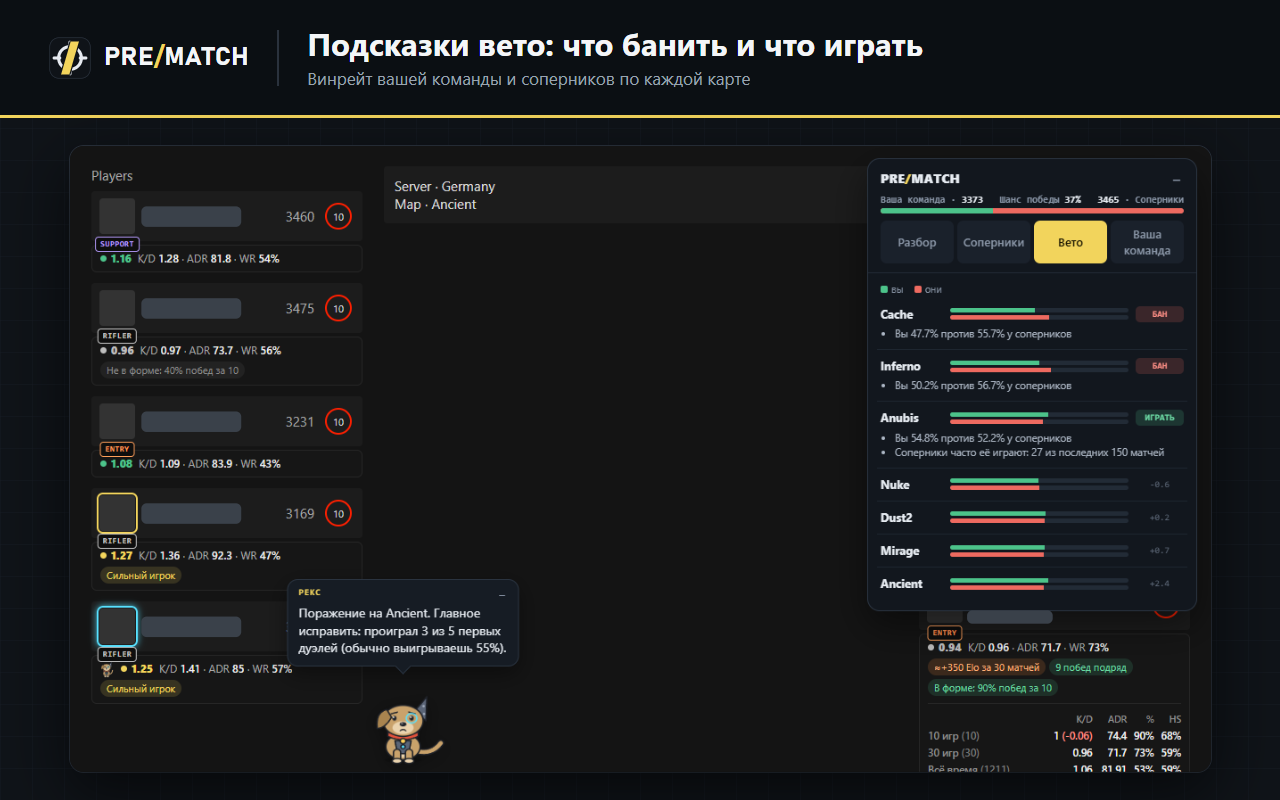
Ban maps where the opponents are stronger than you and keep the ones where your five has the better win rate over more games — always comparing both teams. During the veto PreMatch writes both teams’ win rate right on FACEIT’s map tiles and highlights the map worth picking or banning.
How it looks
Each map tile gets a short line like “You 54% · Them 48%”; the map to pick glows green, the one to ban glows red. The line never covers the map name or the ban button and fades when you hover the tile. Tips appear only when the gap is clear — they are a statistical hint, not a guarantee.
Try PreMatch for free
For Chrome, Edge, Opera, Yandex Browser and Firefox. No sign-up — it works right after install.
📲 Send to another PC / remind me via Telegram
The extension installs in a desktop browser. The bot will send you the link and remind you tonight.
Questions
Are veto tips paid?
No, they are free.
Read next
- How to see opponent stats on FACEIT before the match starts
- How to tell if a FACEIT opponent is a smurf
- Best FACEIT browser extensions in 2026
Updated: 2026-11-04